WinXTools
คุมเน็ตทุกแอป จับแพ็กเก็ตจริงระดับเคอร์เนล ล้างขยะ เร่งเครื่อง และปรับแต่ง Windows ในโปรแกรมเดียว เครื่องมือ ของจริง ไม่ใช่แค่บล็อกไฟร์วอลล์
มีรุ่นฟรี + ทดลอง Pro ฟรีก่อนซื้อ
ทำไม WinXTools ถึงเป็น "ของจริง"
Throttle ระดับ Kernel
จำกัดความเร็วจริงด้วยไดรเวอร์ WinDivert (token-bucket) ไม่ใช่แค่บล็อกด้วยไฟร์วอลล์
Cleaner สแกนจริง
แสดงขนาดขยะจริง (Temp, cache, Windows Update, Windows.old) ปลอดภัย ไม่แตะไฟล์ส่วนตัว
Gamer Mode ย้อนกลับได้
สร้าง System Restore Point ก่อนเสมอ ทุกทวีคย้อนกลับได้ 100%
ดูของจริงทุกหน้าจอ
ภาพจริงจากโปรแกรม ไม่ใช่ mockup ทุกฟีเจอร์ทำงานจริงบนเครื่องคุณ
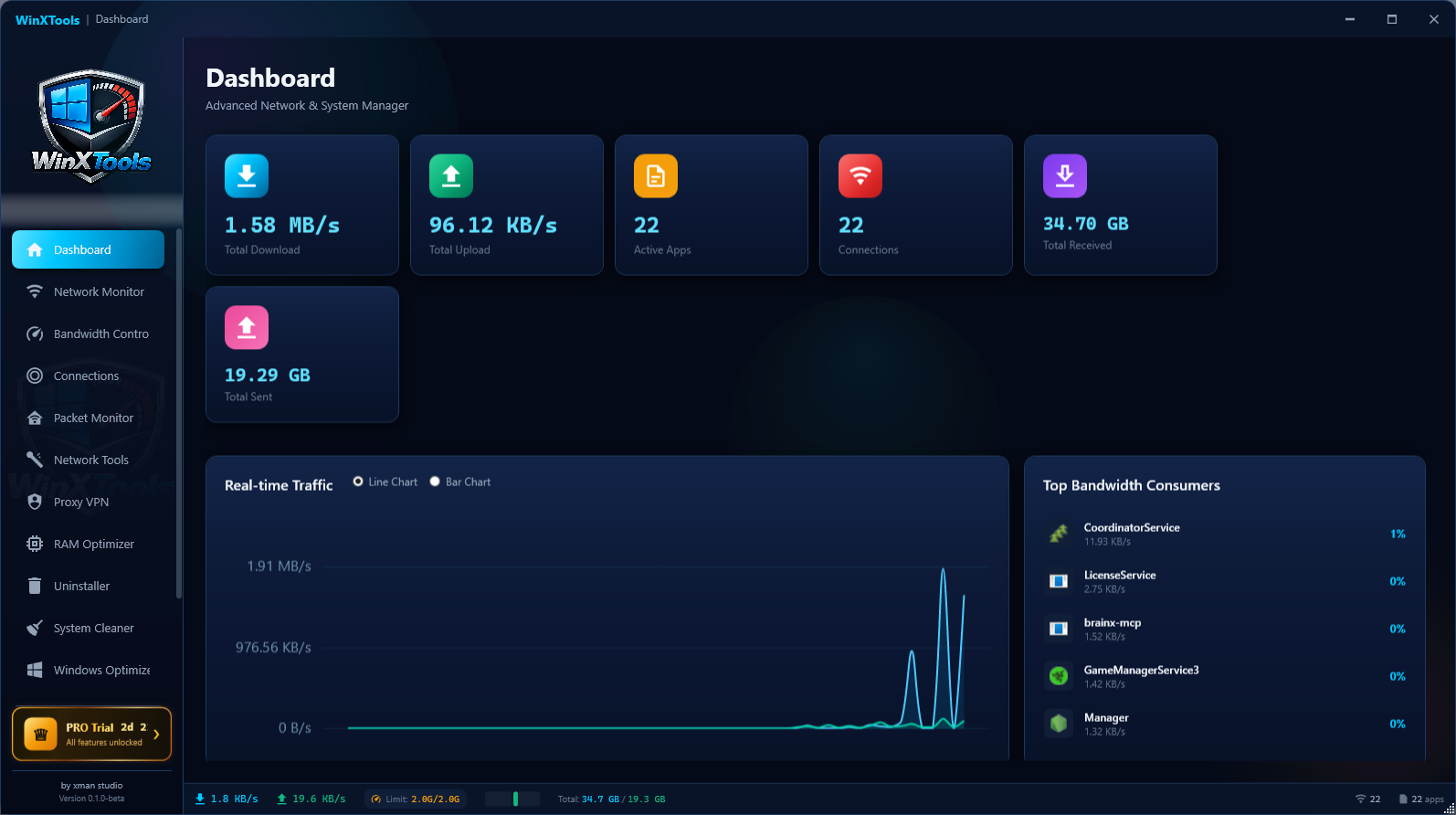
แดชบอร์ดเรียลไทม์
ความเร็วรวม ขึ้น/ลง กราฟทราฟฟิกสด และอันดับแอปที่กินเน็ตมากสุด เห็นทุกอย่างในหน้าเดียว
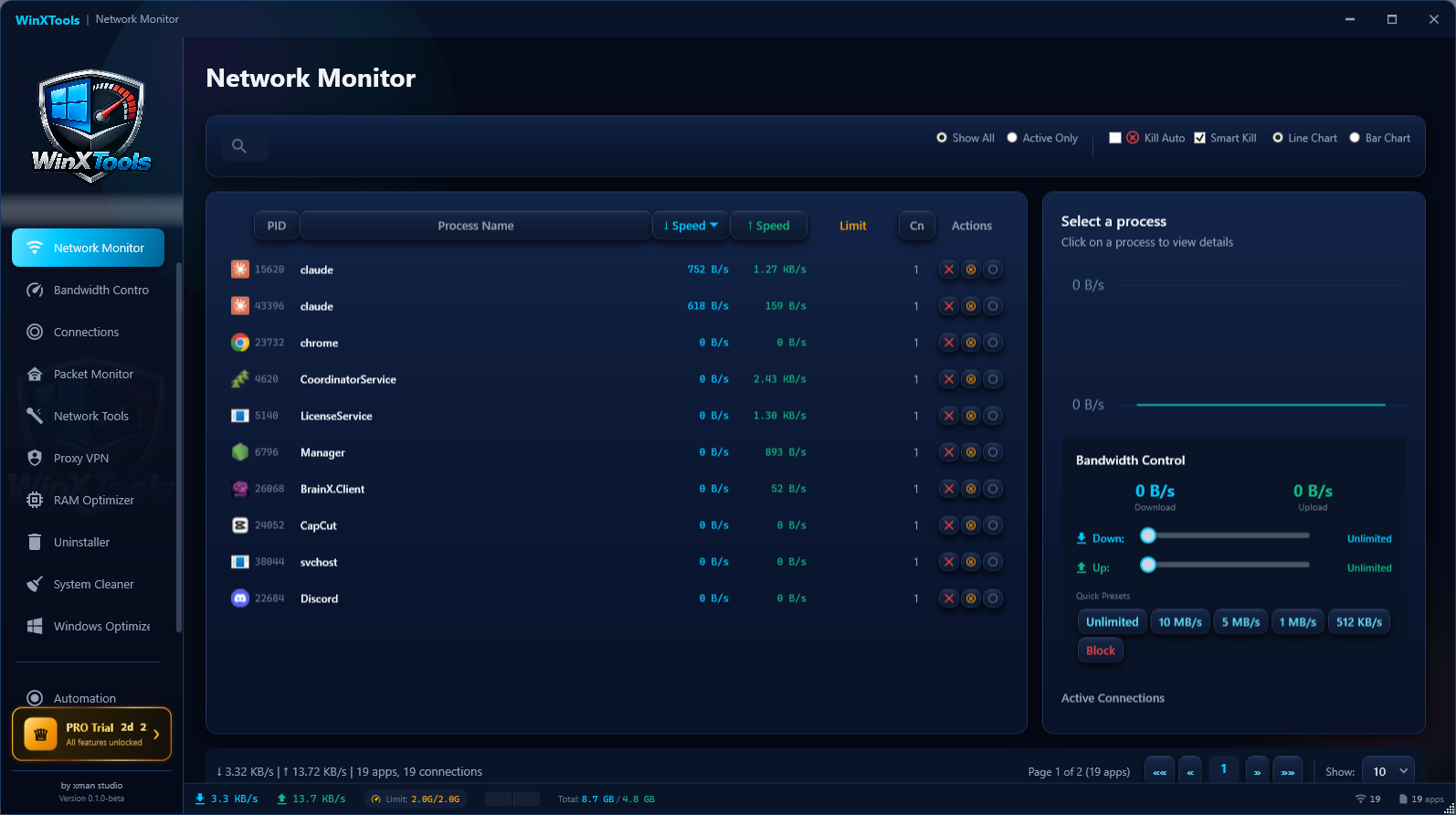
มอนิเตอร์เน็ตรายแอป
เห็นทุกโปรเซสที่ใช้เน็ต (PID + ความเร็วจริง) จำกัดหรือบล็อกความเร็วต่อแอปได้ทันที
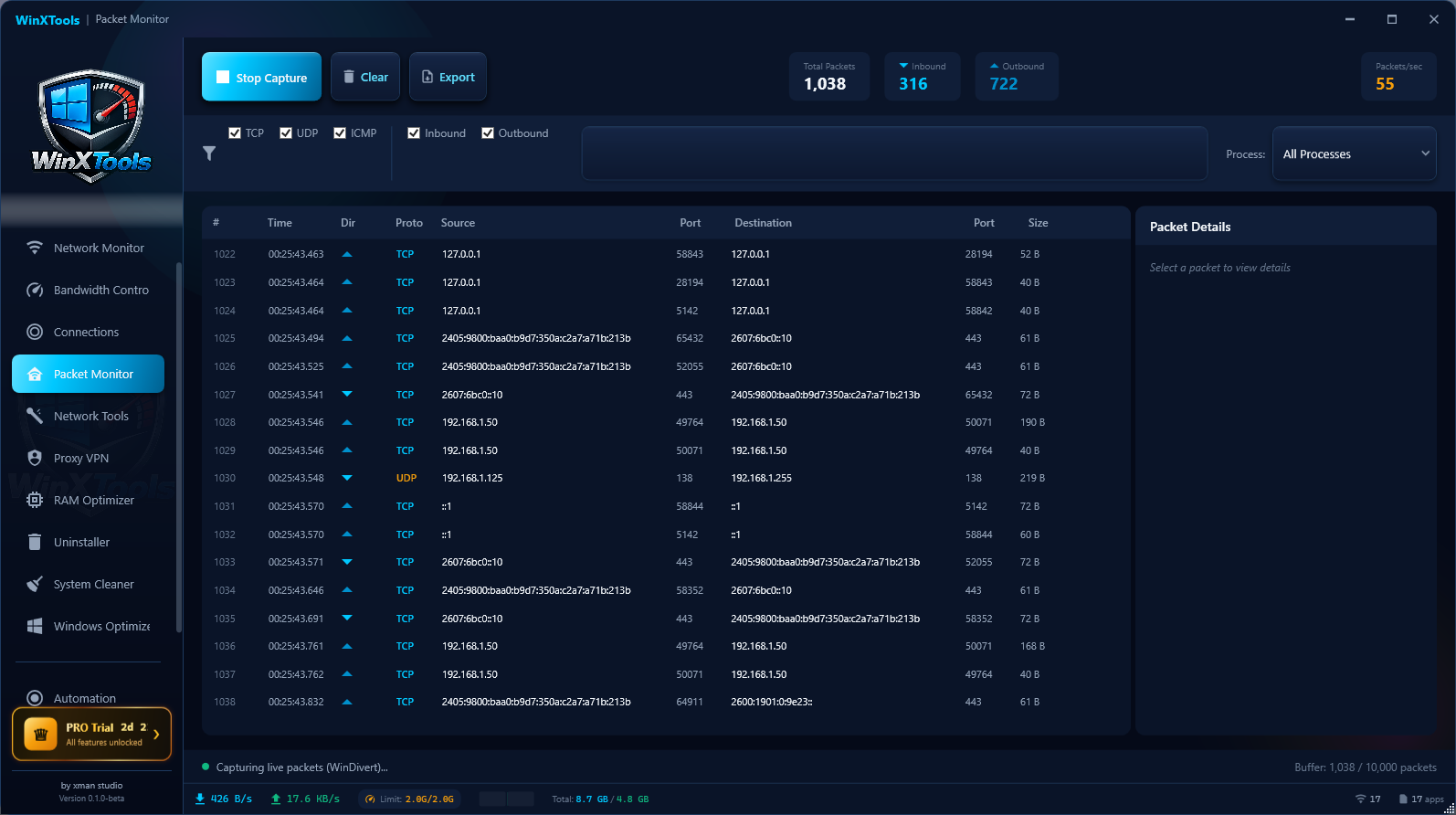
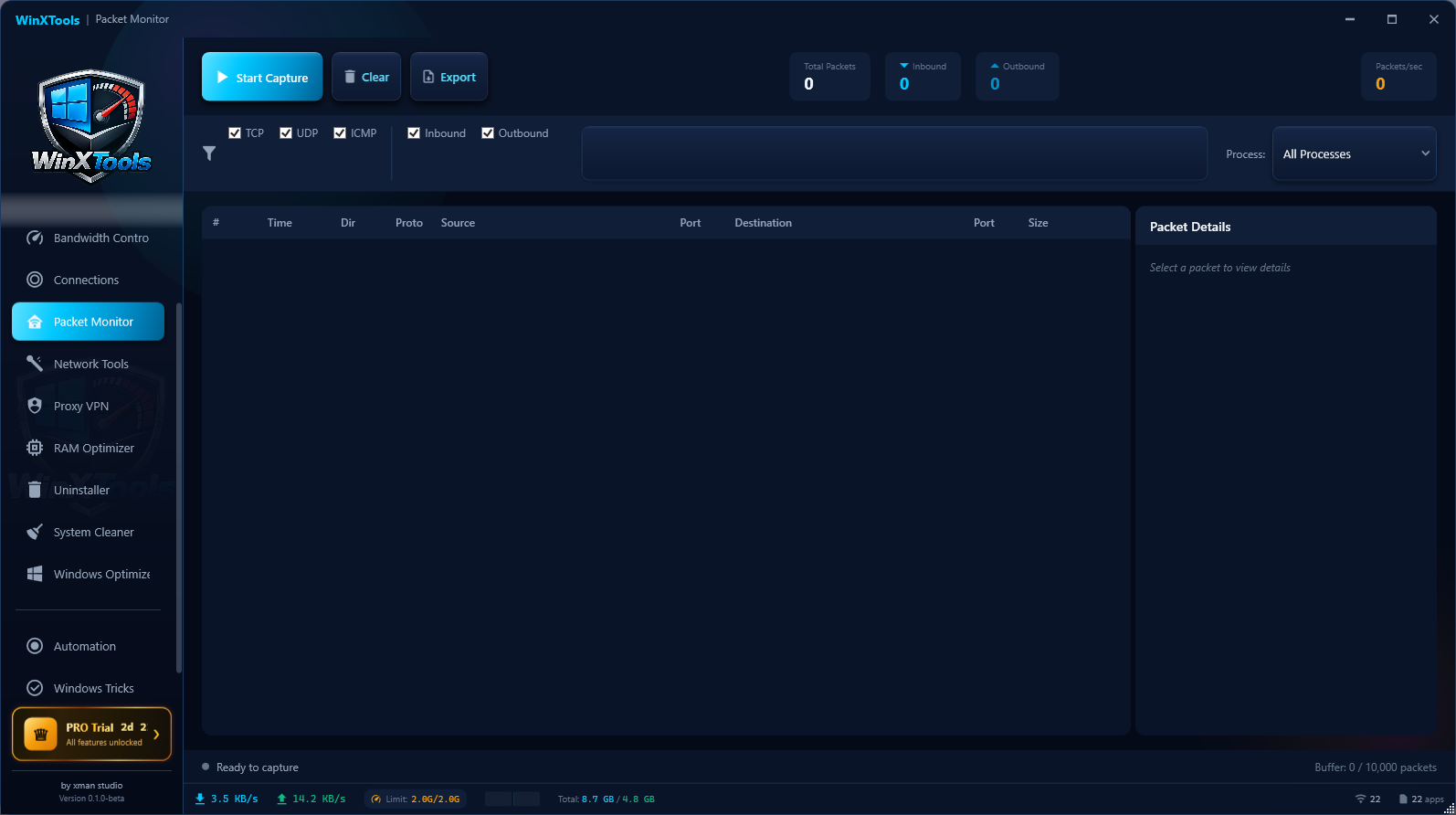
จับแพ็กเก็ตสดระดับเคอร์เนล
ดักจับด้วย WinDivert เห็น IP จริงทั้ง IPv4/IPv6, พอร์ต, โปรโตคอล, ขนาด และทิศทาง แบบเรียลไทม์
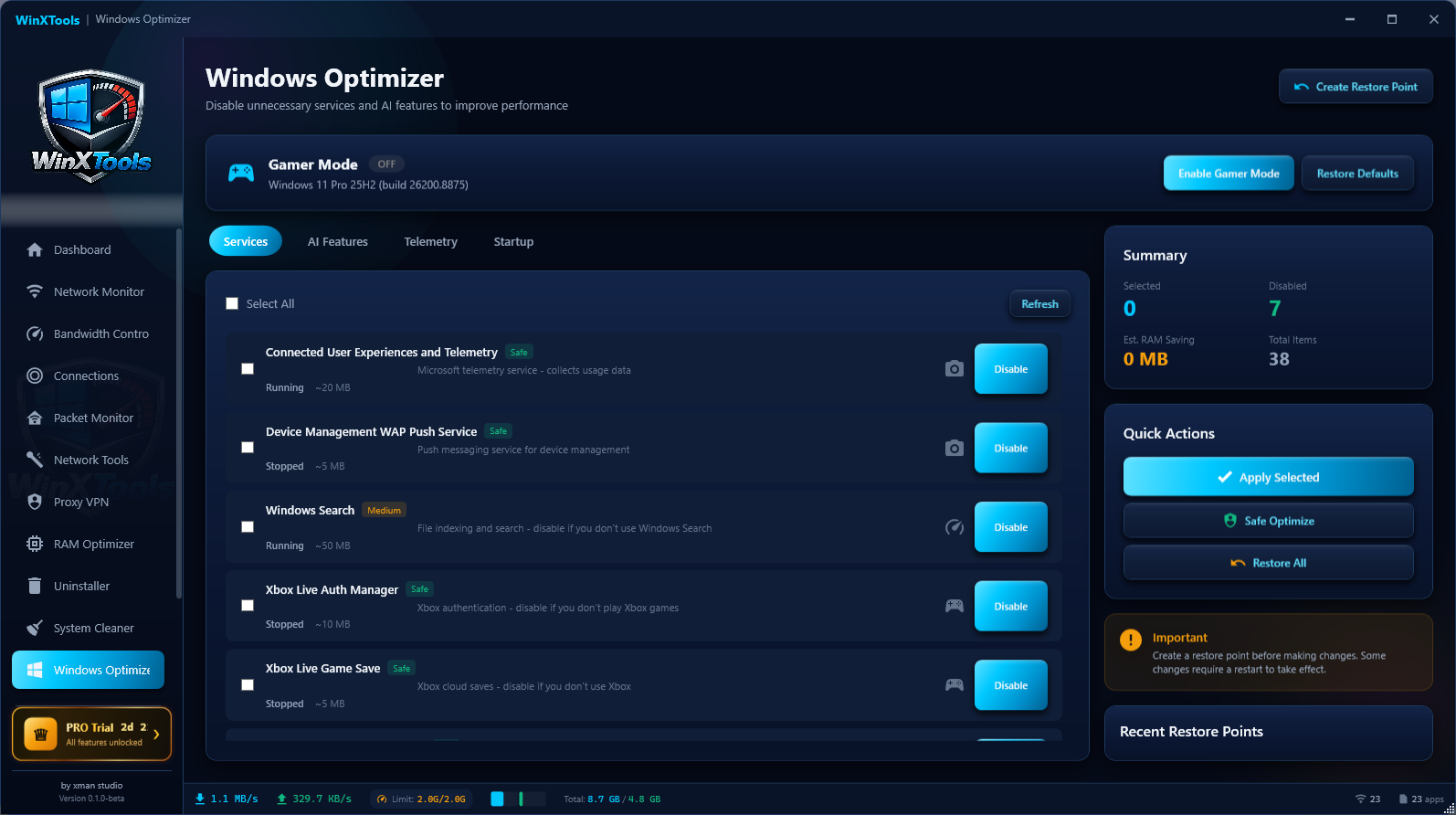
ออปติไมซ์ + โหมดเกมเมอร์
กดปุ่มเดียว ตรวจเวอร์ชัน Windows จริง ปิดของไม่จำเป็น ใส่ทวีคเกม ย้อนกลับได้ 100%
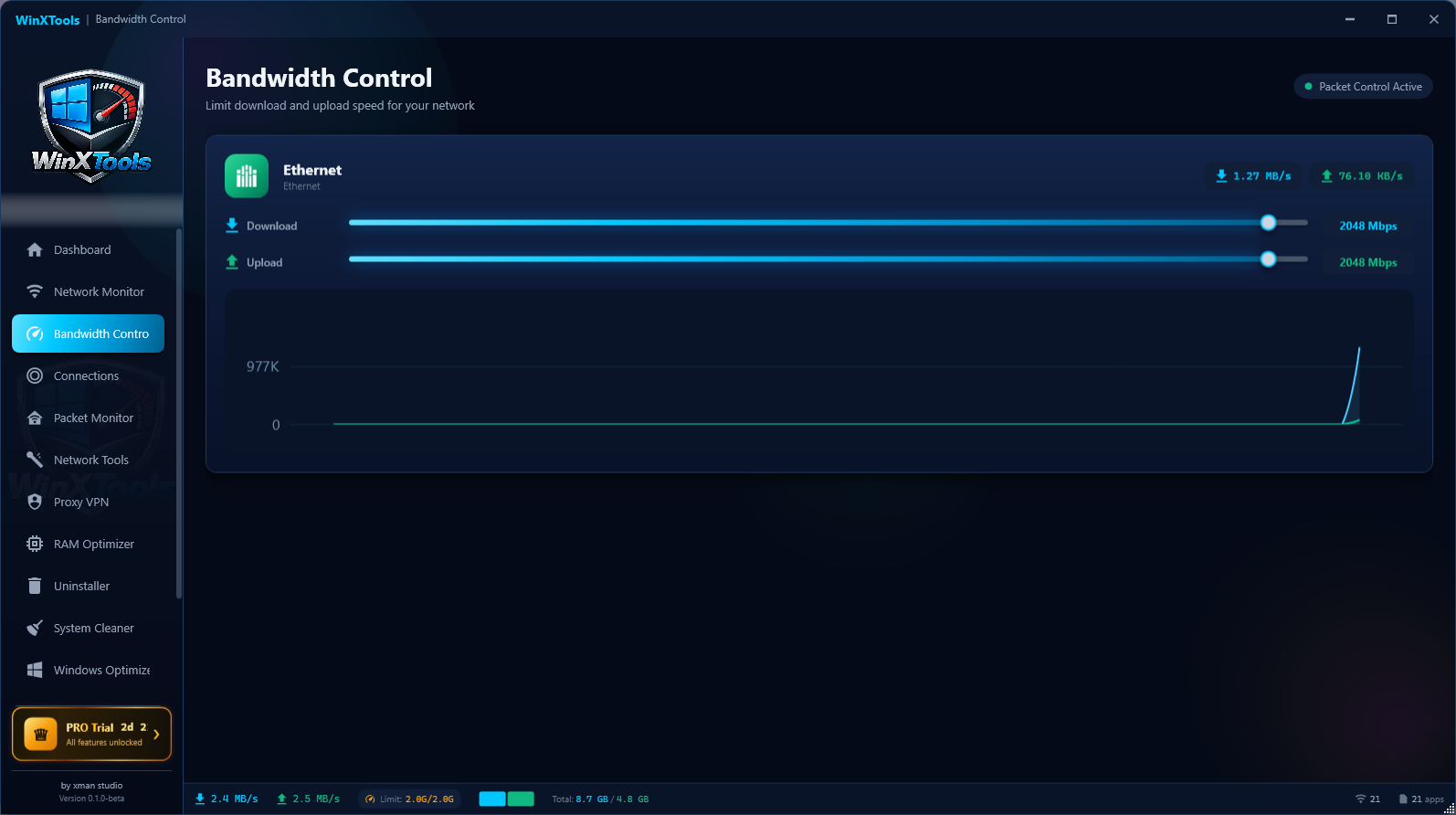
คุมความเร็วเน็ตจริง
จำกัดแบนด์วิดท์ระดับแพ็กเก็ตด้วย WinDivert ไม่ใช่แค่บล็อก คุมได้ต่ออแดปเตอร์/ต่อแอป
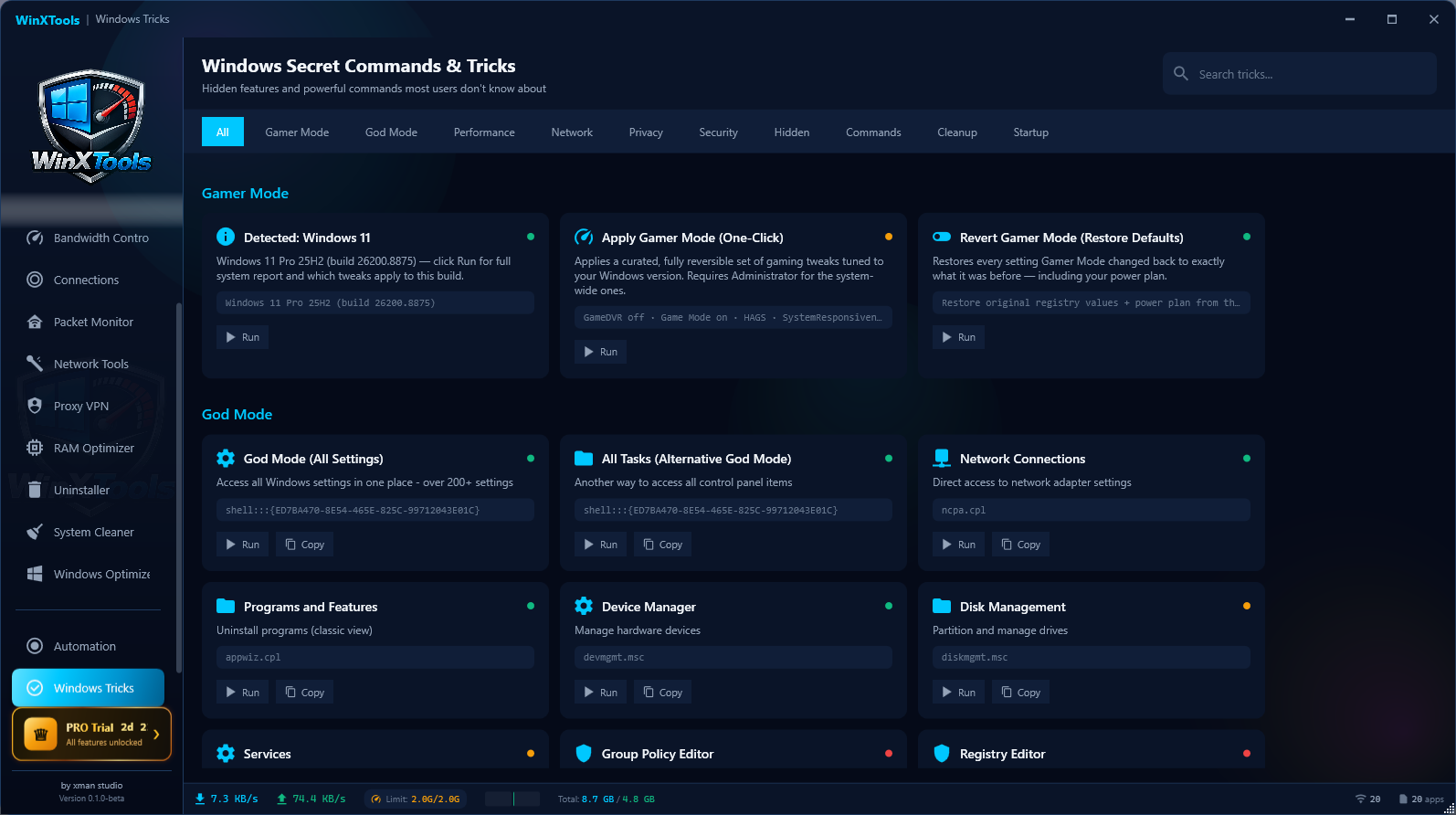
ทริก/คำสั่งลับ Windows
รวมทริกและคำสั่งลับจัดหมวด เลือกตามเวอร์ชันจริงของเครื่อง กดรันได้ทันที
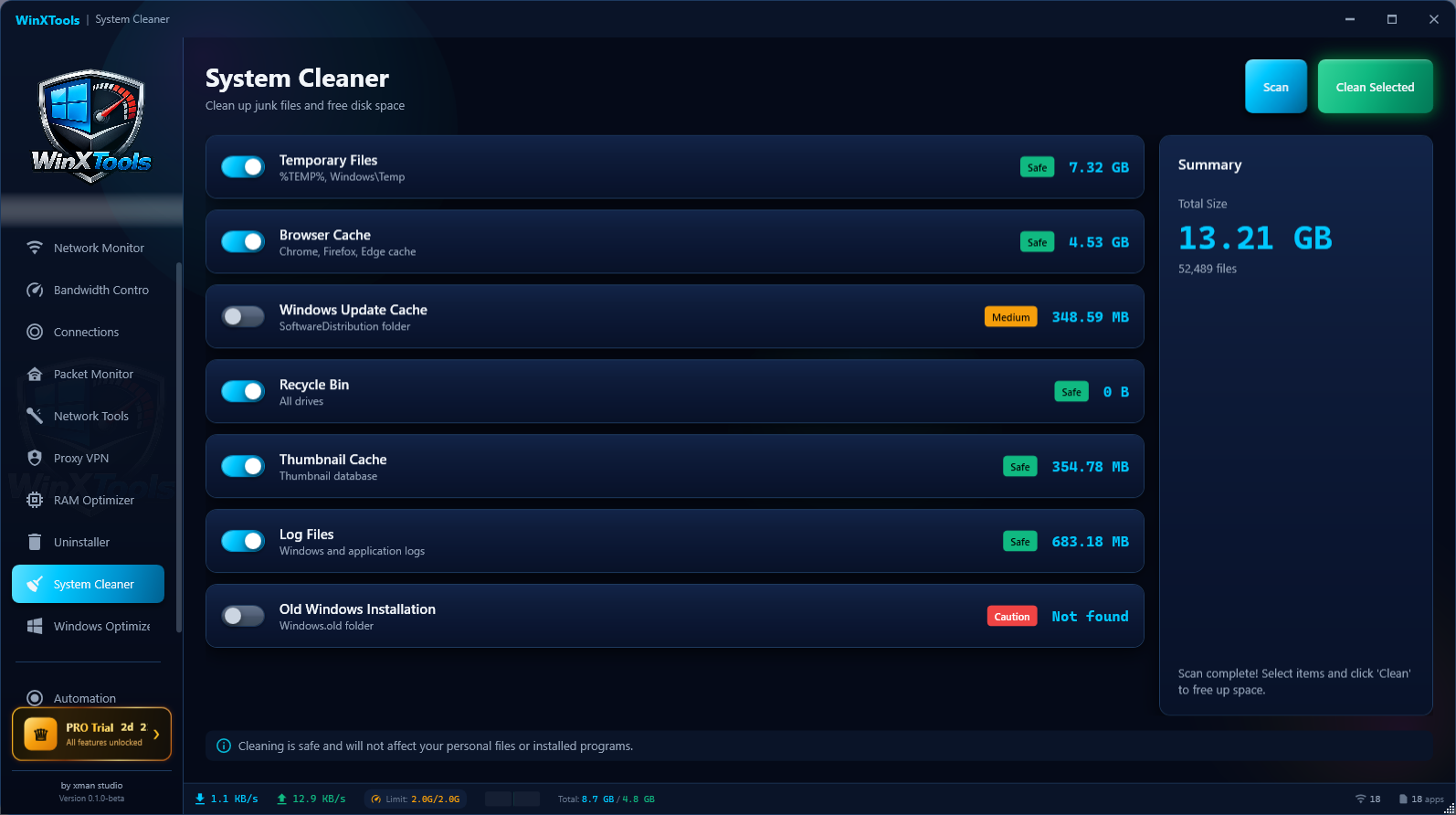
ล้างไฟล์ขยะจริง
สแกนแล้วเจอขยะจริง (ตัวอย่างเจอ 13.2 GB) ลบปลอดภัย ไม่แตะไฟล์ส่วนตัว
เพิ่ม RAM ว่าง
ล้าง standby cache ระดับเคอร์เนลจริง + trim working set แสดงหน่วยความจำก่อน/หลัง
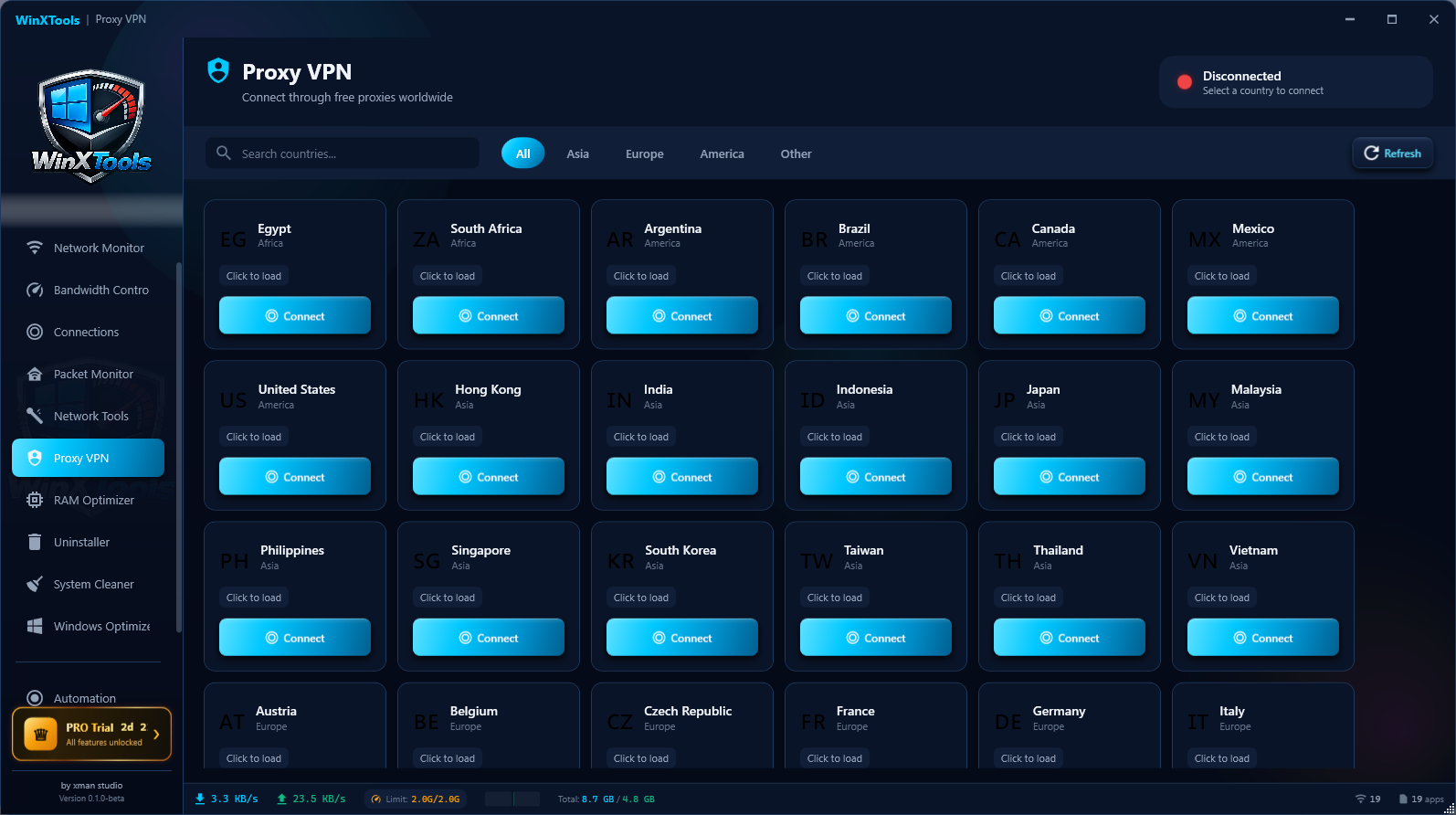
พร็อกซีทั่วโลก
เชื่อมต่อพร็อกซีฟรีทั่วโลก จัดกลุ่มตามประเทศ คลิกเดียวเชื่อมต่อ
ครบทุกเครื่องมือที่คนใช้ Windows ต้องการ
10 ฟีเจอร์หลัก ทำงานร่วมกันในโปรแกรมเดียว รองรับสองภาษา ไทย/อังกฤษ ธีมมืด และรุ่นพกพา
แดชบอร์ดเรียลไทม์
ความเร็วรวมขึ้น/ลง จำนวนแอปที่ทำงาน กราฟทราฟฟิกสด และอันดับแอปที่กินเน็ตมากสุด
มอนิเตอร์เน็ตรายแอป
เห็นทุกโปรเซส (PID + ความเร็วจริง) จำกัด/บล็อกต่อแอปได้ พรีเซ็ต Unlimited/10/5/1 MB/s หรือ Block
คุมแบนด์วิดท์จริง
Throttle ระดับเคอร์เนลด้วยไดรเวอร์ WinDivert (token-bucket) จำกัดความเร็วจริงต่ออแดปเตอร์/แอป ไม่ใช่แค่บล็อก
จับแพ็กเก็ตสด
แคปเจอร์ระดับเคอร์เนล เห็น IP ต้นทาง/ปลายทางจริงทั้ง IPv4 และ IPv6, พอร์ต, โปรโตคอล, ขนาด, ทิศทาง
ออปติไมซ์ + โหมดเกมเมอร์
ตรวจเวอร์ชัน Windows จริง (เช่น 11 Pro 25H2) ปิด telemetry/AI/บริการไม่จำเป็น ใส่ทวีคเกม (GameDVR, HAGS, Ultimate power) สร้าง Restore Point ก่อน ย้อนกลับได้
คำสั่งลับ & ทริก Windows
ทริกหลายสิบตัวจัดหมวด (Gamer, God Mode, Performance, Network, Privacy, Security) แสดงเฉพาะที่ใช้ได้กับ build ของคุณ
ล้างไฟล์ขยะจริง
สแกนและลบขยะอย่างปลอดภัย (Temp, browser cache, Windows Update cache, logs, thumbnails, Windows.old) แสดงขนาดจริง ไม่แตะไฟล์ส่วนตัว
RAM Optimizer
ล้าง standby cache ระดับเคอร์เนลจริง + trim working set คืน RAM ว่าง แสดงหน่วยความจำก่อน/หลัง
Proxy / VPN
เชื่อมต่อพร็อกซีฟรีทั่วโลก จัดกลุ่มตามประเทศ คลิกเดียวเชื่อมต่อ
และเครื่องมือเสริมอีกเพียบ
TCP/UDP Connection Monitor · Deep Uninstaller (ล้าง registry ต่อ) · Network Tools · รองรับสองภาษา ไทย/อังกฤษ · ธีมมืด · รุ่นพกพา (portable) ไม่ต้องติดตั้ง
ราคาที่คุ้มที่สุด
เริ่มฟรีได้ทันที หรือปลดล็อกทุกฟีเจอร์ด้วย Pro จ่ายครั้งเดียว ใช้ได้ตลอด
Free
ฟีเจอร์หลักครบ เริ่มใช้ได้เลย
- ✓ แดชบอร์ดเรียลไทม์ + กราฟทราฟฟิก
- ✓ ล้างไฟล์ขยะจริง (Disk Cleaner)
- ✓ RAM Optimizer
- ✓ Windows Optimizer พื้นฐาน
- ✓ รองรับสองภาษา ไทย/อังกฤษ + ธีมมืด
Pro
ปลดล็อกทุกฟีเจอร์ขั้นสูง
- ✓ ทุกอย่างในรุ่น Free และ...
- ✓ จับแพ็กเก็ตสดระดับเคอร์เนล (Packet Monitor)
- ✓ จำกัดความเร็วเน็ตต่อแอป (Bandwidth Control)
- ✓ Per-App Network Monitor เต็มรูปแบบ
- ✓ Proxy / VPN ทั่วโลก
- ✓ คำสั่งลับ & ทริก Windows ทั้งหมด
- ✓ Rules / Automation ตั้งกฎอัตโนมัติ
ทดลอง Pro ฟรีก่อนตัดสินใจ · ไม่มีค่าใช้จ่ายซ่อน
ความต้องการระบบ
WinXTools ต้องการสิทธิ์ Administrator เพื่อทำงานระดับเคอร์เนล (WinDivert, standby cache, ทวีคระบบ)
ระบบปฏิบัติการ
Windows 10 หรือ 11
(64-bit เท่านั้น)
Runtime
.NET 10 Desktop Runtime
(WPF)
สิทธิ์การใช้งาน
Run as Administrator
(จำเป็นสำหรับฟีเจอร์ระดับเคอร์เนล)
พร้อมคุมเครื่องของคุณแล้วหรือยัง?
ดาวน์โหลดรุ่นฟรีเริ่มใช้ได้ทันที หรือปลดล็อกทุกฟีเจอร์ด้วย Pro เพียง ฿199 จ่ายครั้งเดียว ใช้ได้ตลอด
รองรับ Windows 10/11 (64-bit) · .NET 10 · ต้องรันในสิทธิ์ Administrator